

What is LangSmith
LangSmith is a platform for building production-grade LLM applications. It is used for developing, collaborating, testing, deploying, and monitoring LLM applications.For more details, please refer to LangSmith.
How to Configure LangSmith
1. Register/Login to LangSmith
2. Create a Project
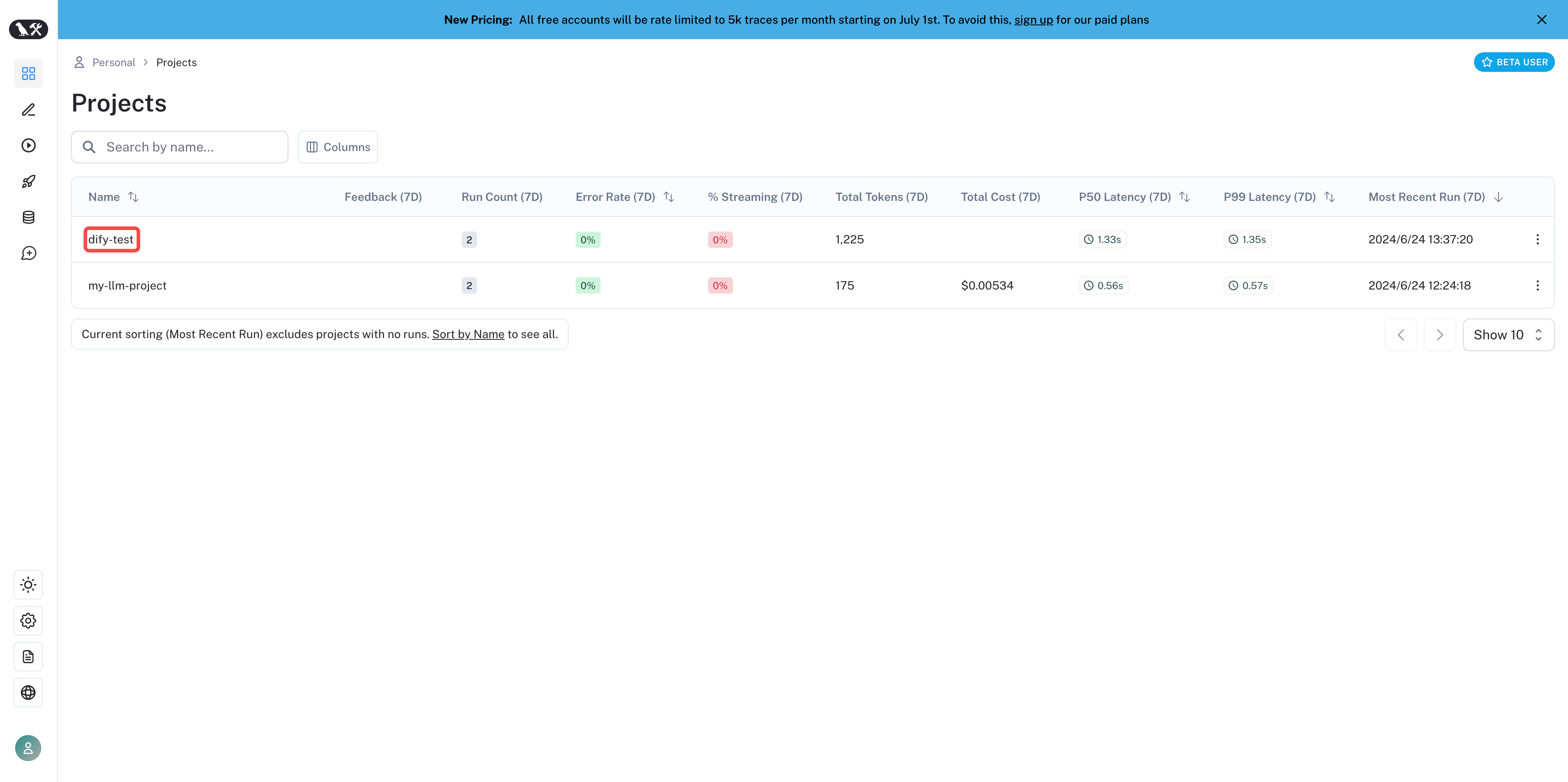
Create a project in LangSmith. After logging in, click New Project on the homepage to create your own project. The project will be used to associate with applications in Dify for data monitoring.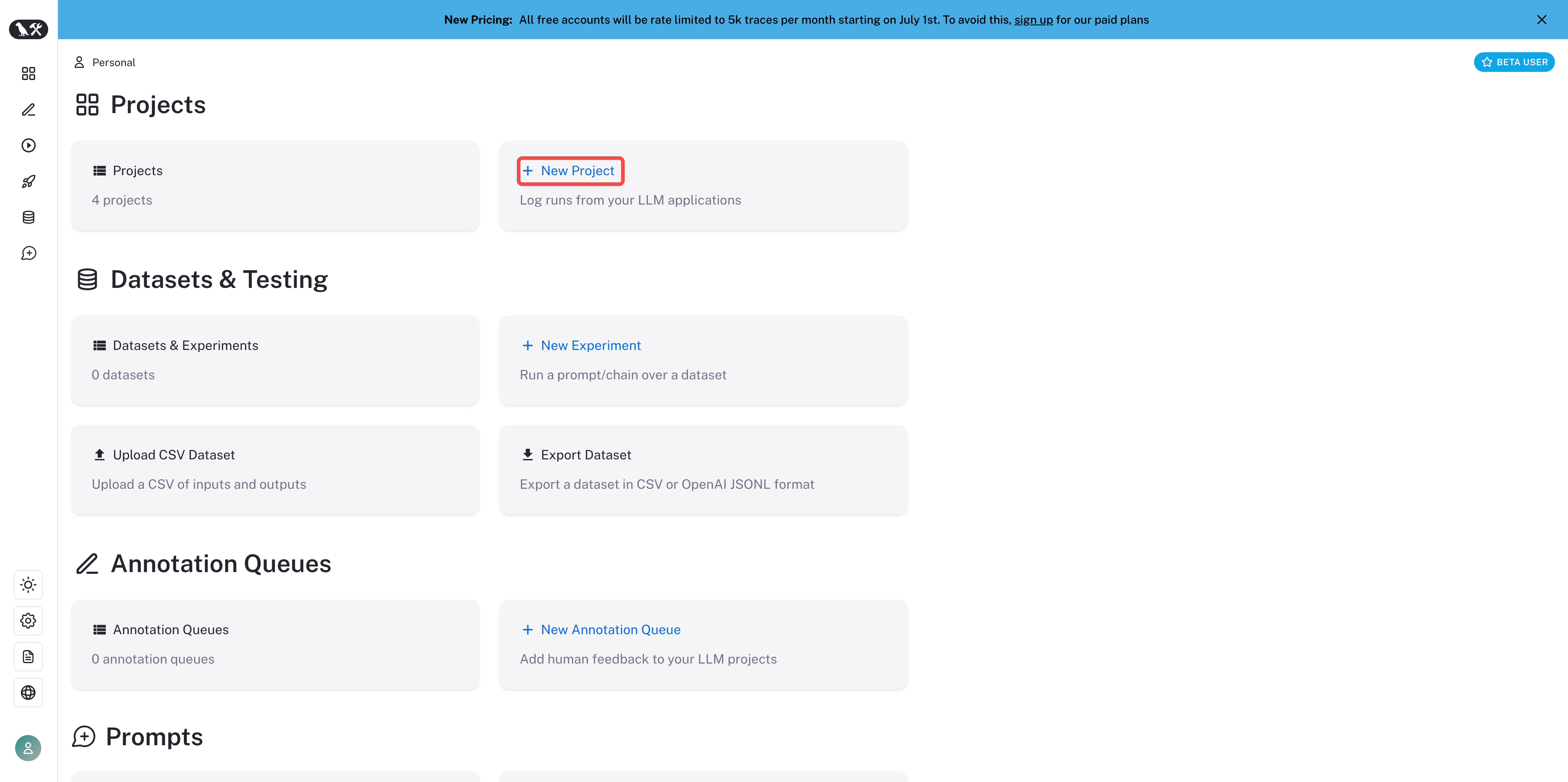
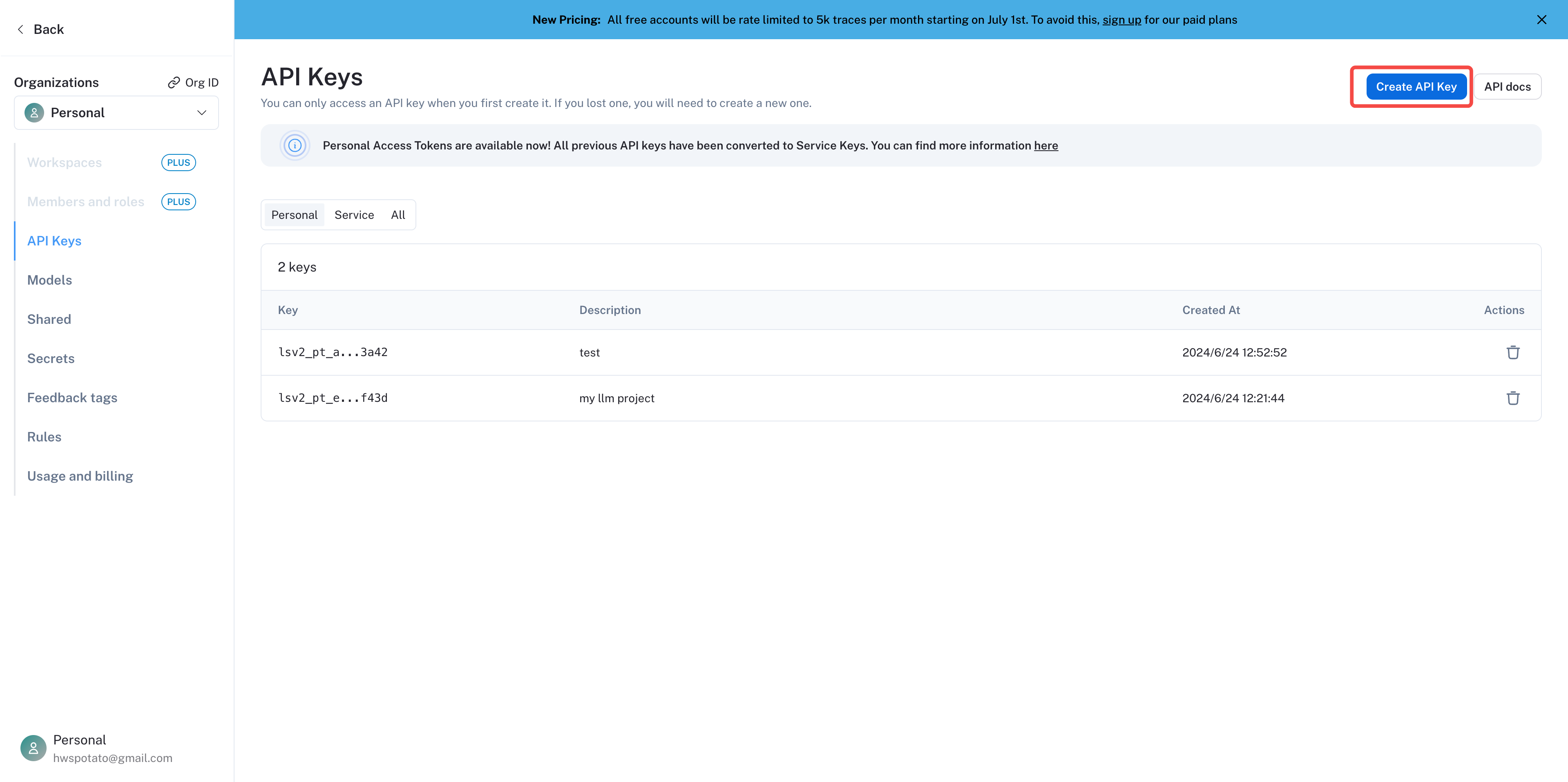
3. Create Project Credentials
Find the project settings Settings in the left sidebar.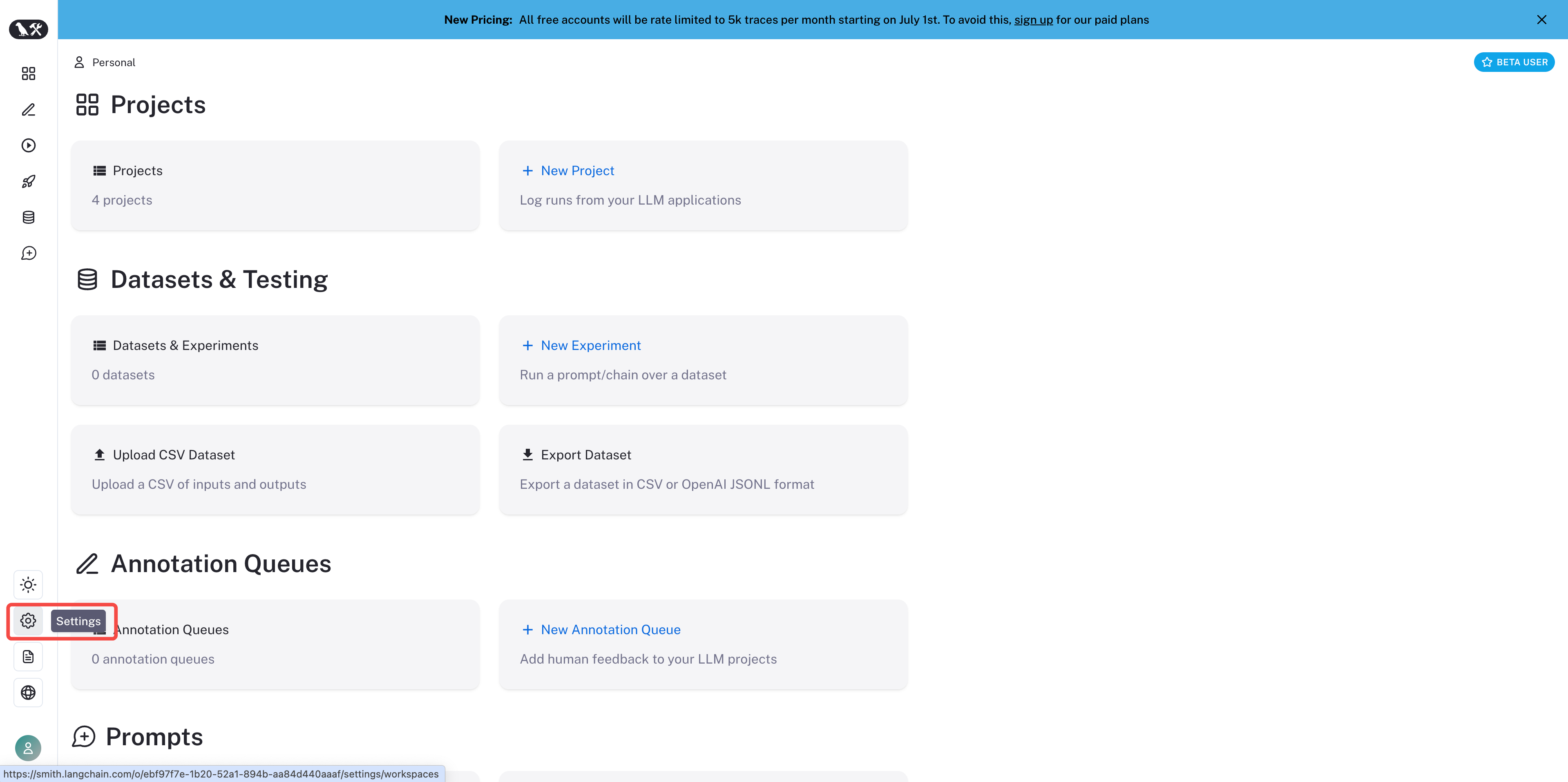
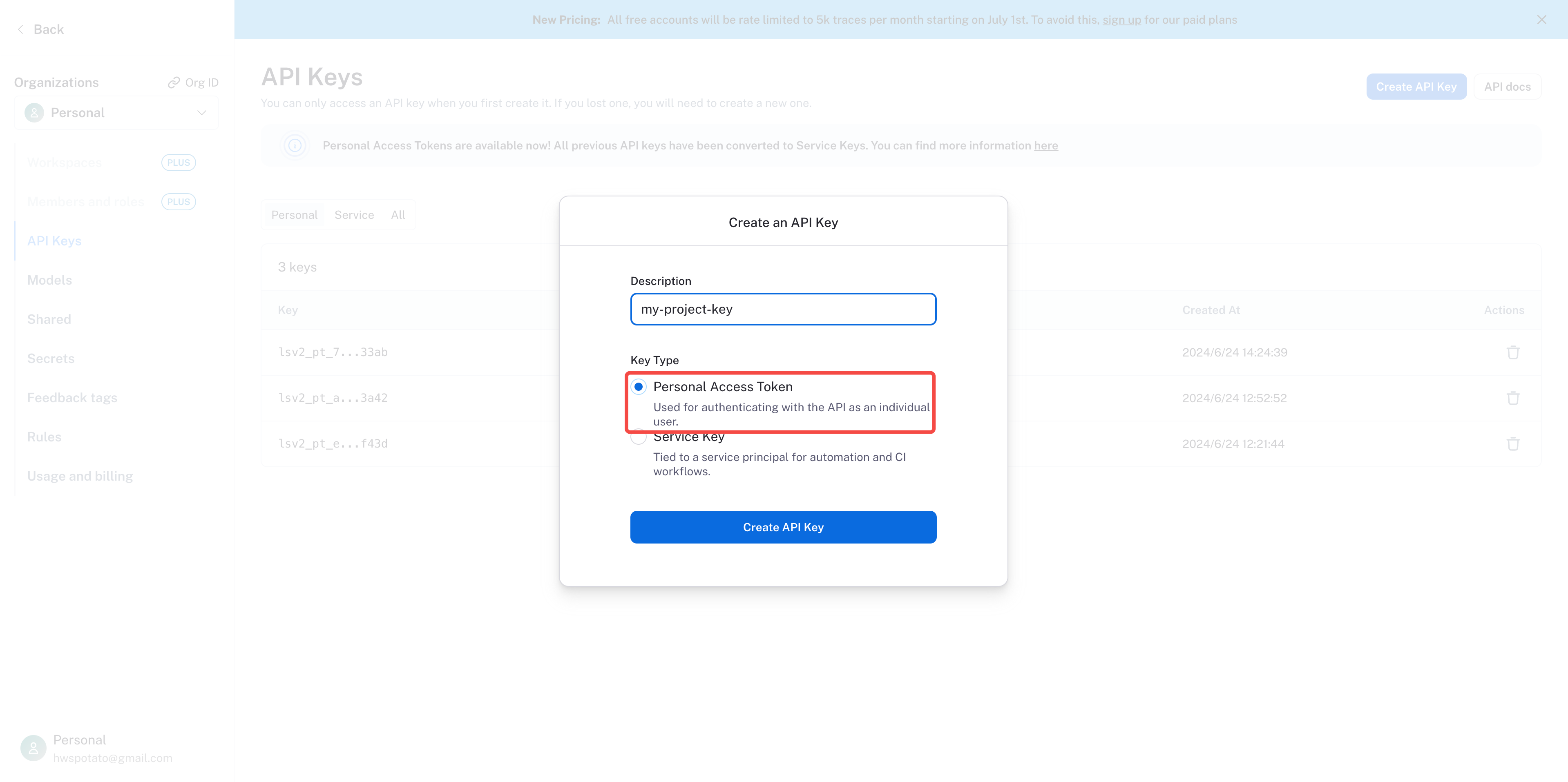
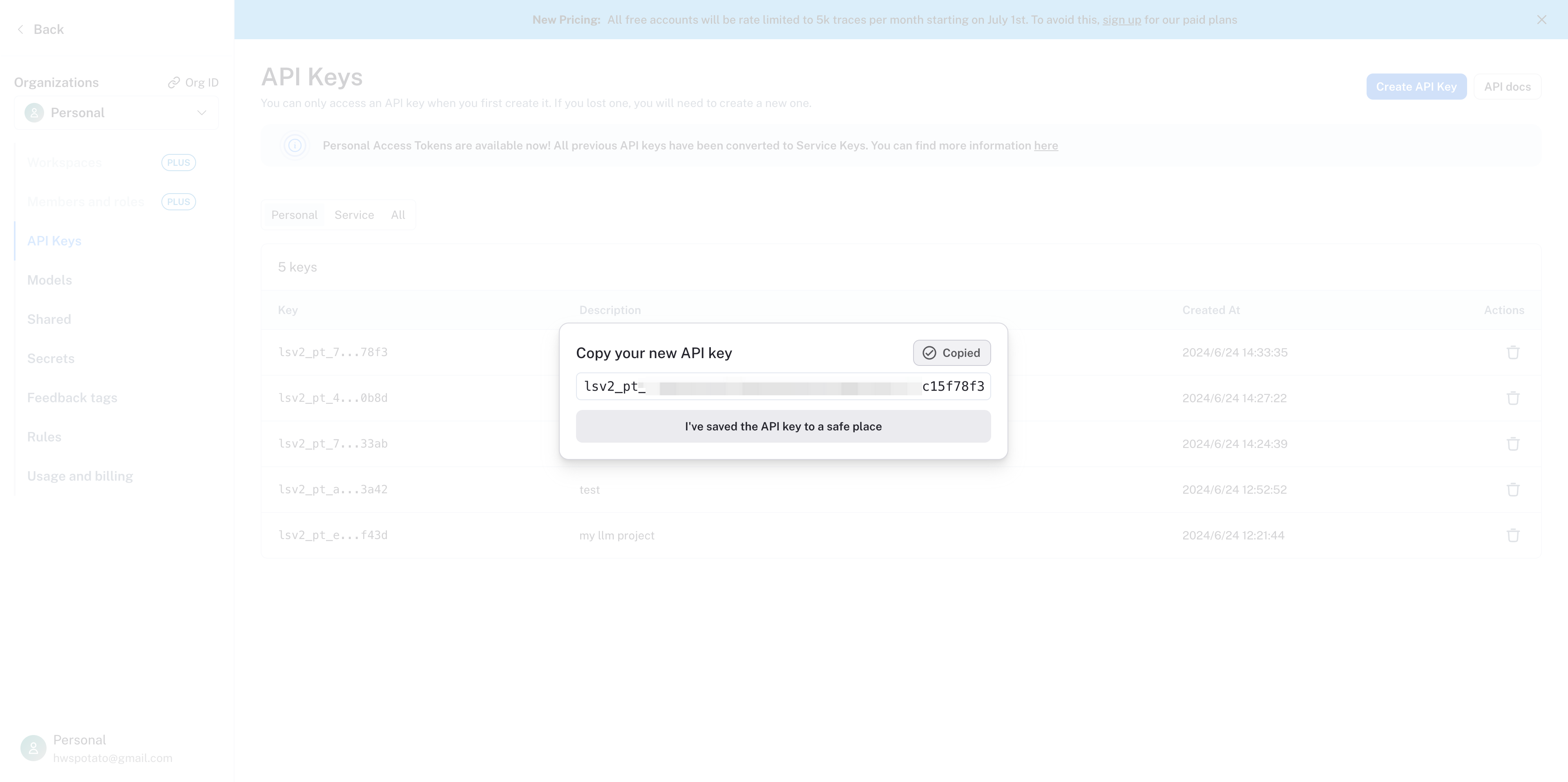
4. Integrate LangSmith with Dify
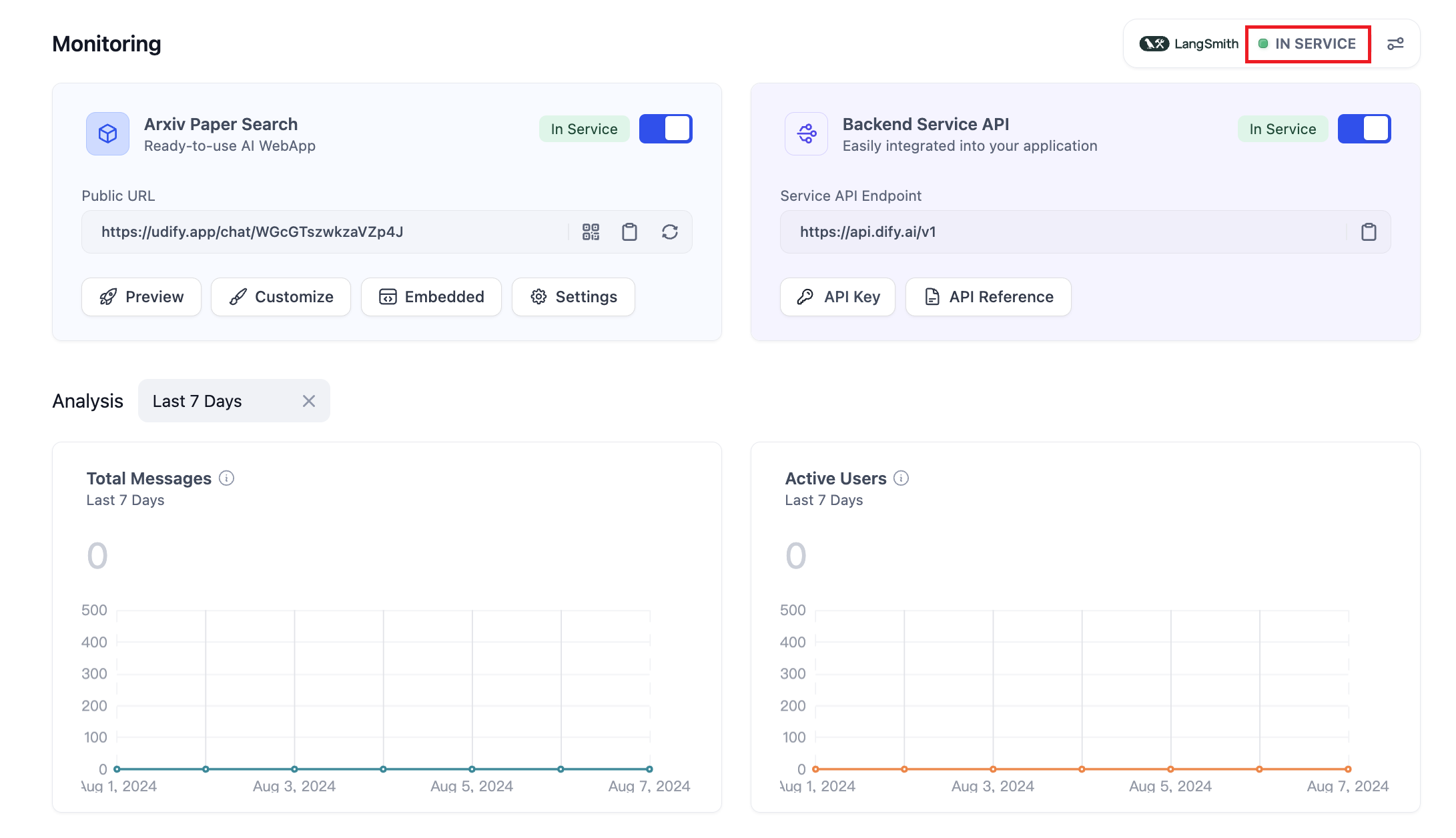
Configure LangSmith in the Dify application. Open the application you need to monitor, open Monitoring in the side menu, and select Tracing app performance on the page.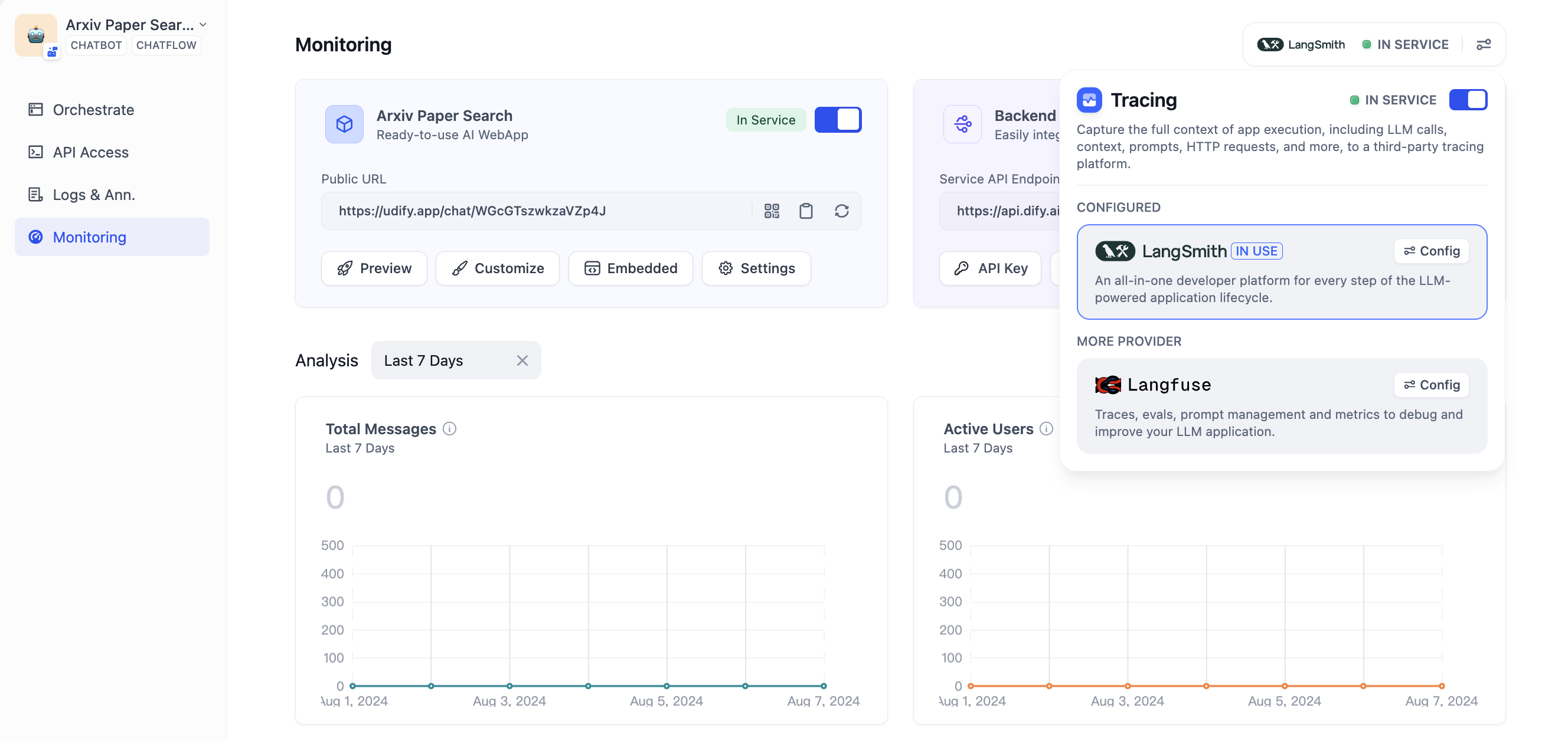
https://api.smith.langchain.com; a custom API endpoint must use HTTPS.
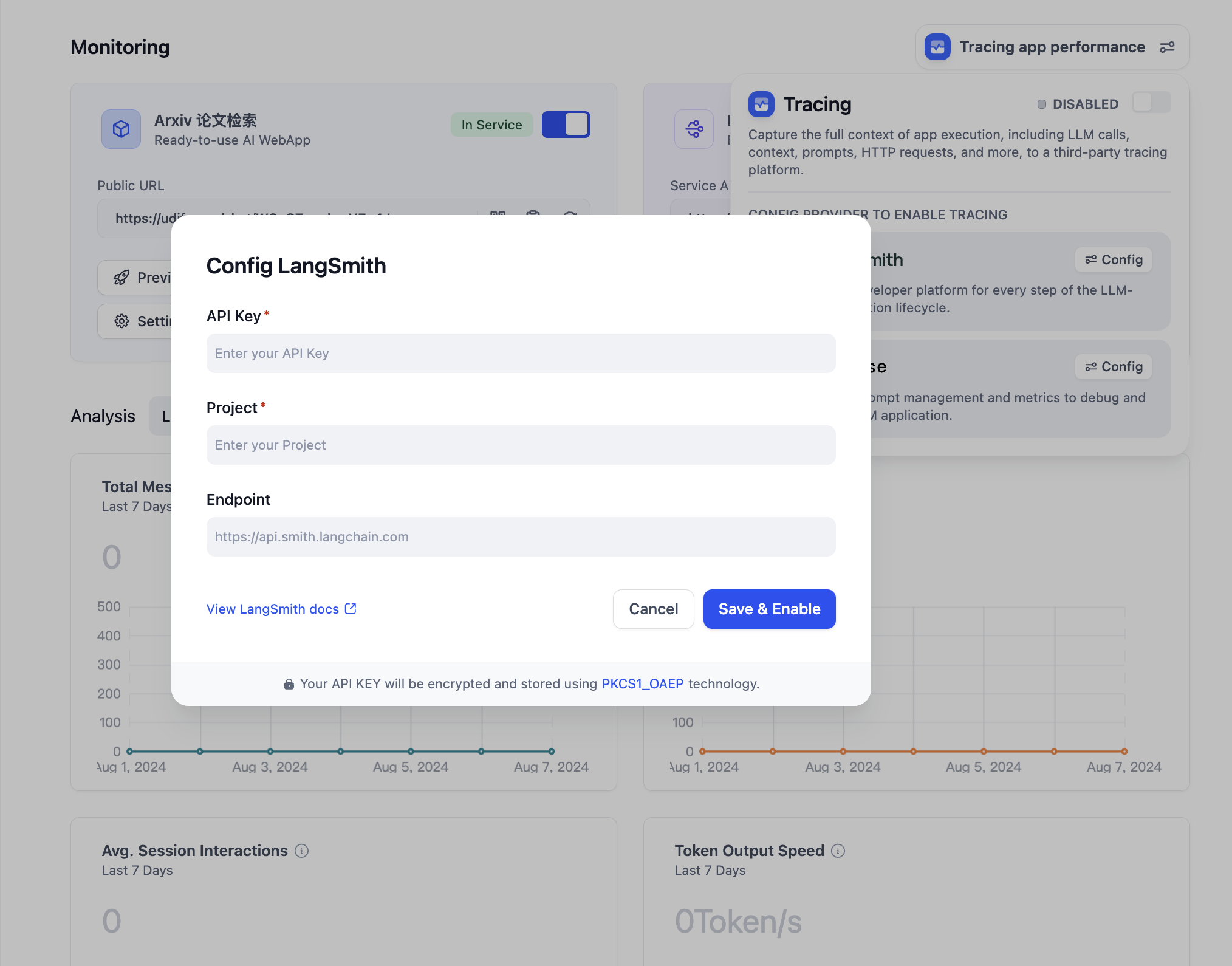
The configured project name needs to match the project set in LangSmith. If the project does not exist, LangSmith creates it when the first trace arrives, not when the configuration is saved.
View Monitoring Data in LangSmith
Once configured, the debug or production data from applications within Dify can be monitored in LangSmith.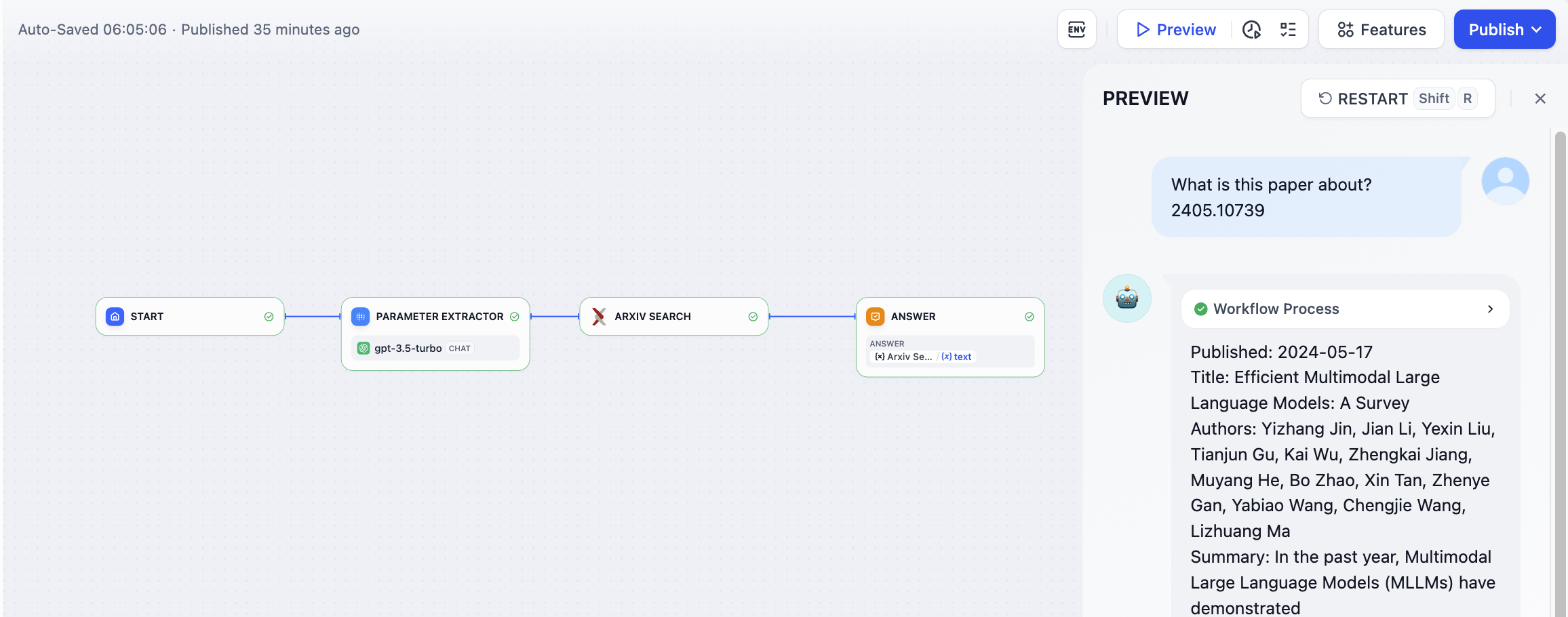
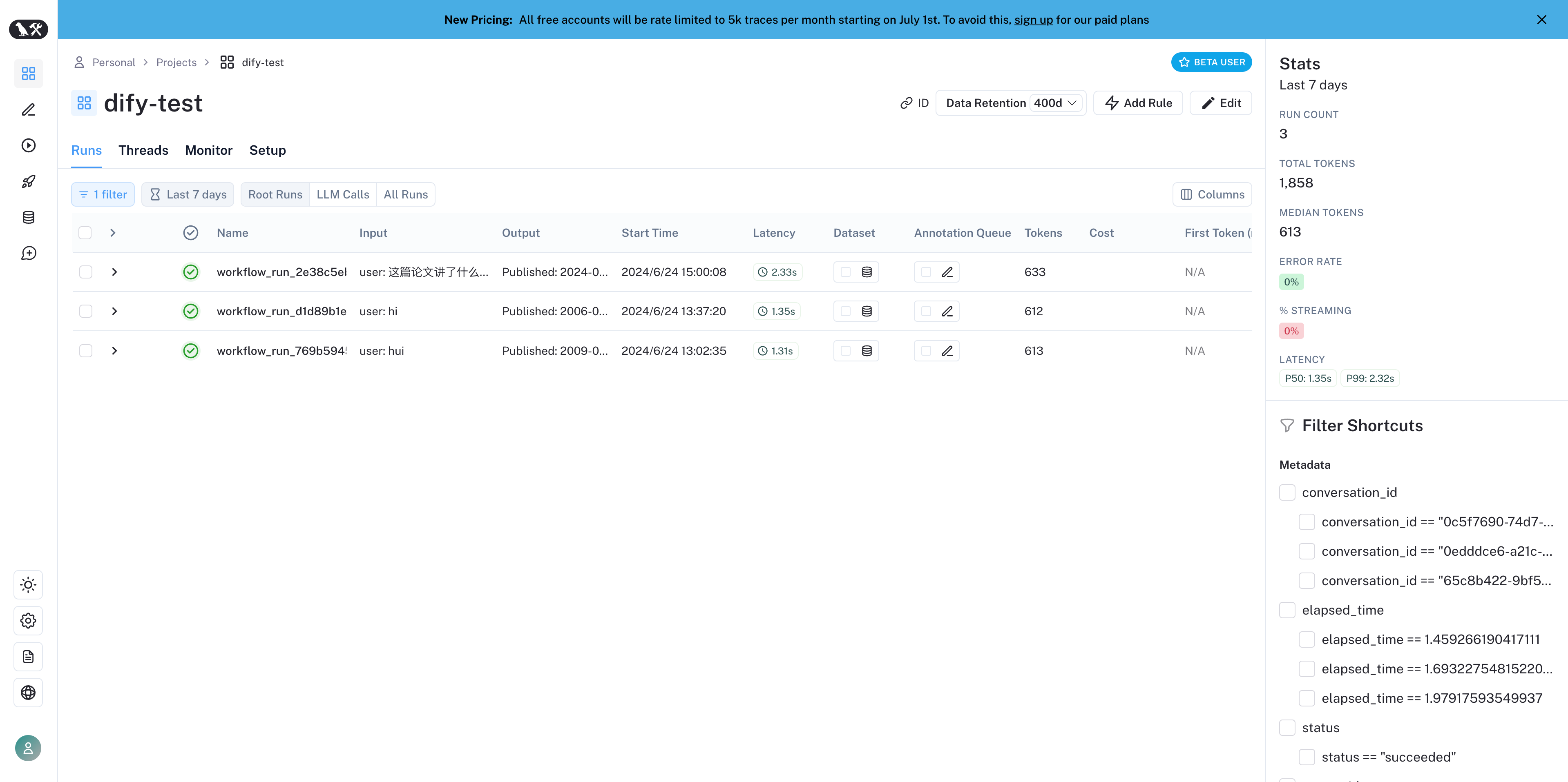
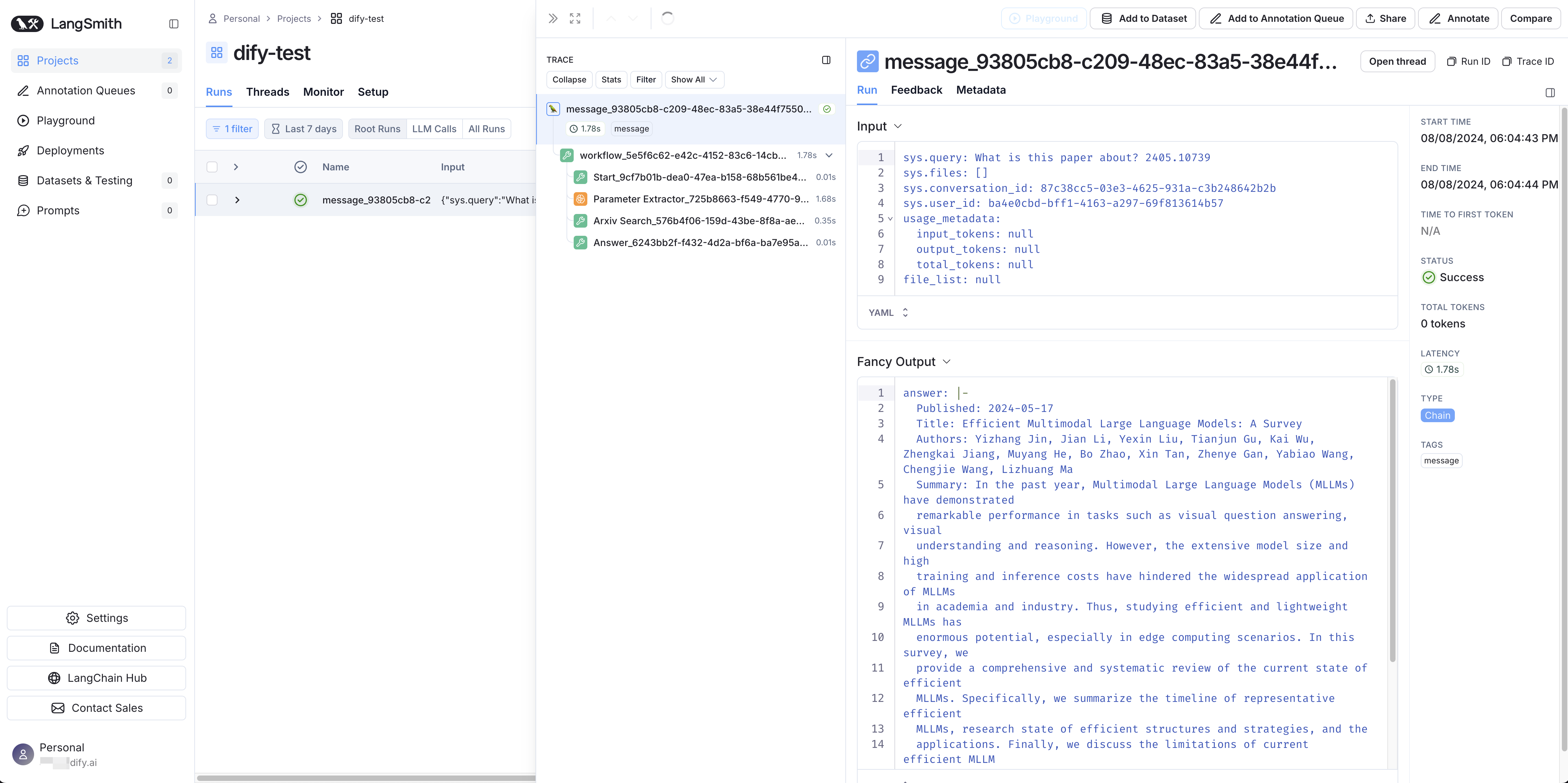
After saving and enabling tracing, run the app again and check for a new trace in the monitoring service. Delivery is asynchronous; saving the configuration alone does not confirm that a trace has arrived.For the new Agent app type and workflows using the new Agent node, Capture content is off by default: inputs, outputs, and most metadata are removed, and error text is redacted across the whole workflow. Enable it to send that content. Classic
agent-chat apps and workflows using only classic Agent nodes retain ordinary tracing.Monitoring Data List
The tables below describe ordinary traces. For the new Agent app type or workflows containing a new Agent node, traces use a new UUIDv7 trace ID, with source and tracing-run IDs retained asdify.source.id and dify.tracing.run_id attributes. For the new Agent app type, Agent attempt spans with internal model and tool calls replace the ordinary llm span when Capture Agent internals is on. Separate moderation, suggested-question, and naming records are omitted for collected runs.
Dify exports a hierarchy of operations: a message contains an llm call, and a Chatflow message contains its workflow and node operations. Without X-Trace-Id, the root run ID uses the message ID for Chat/Chatflow or workflow run ID for Workflow. Child run IDs are derived. With X-Trace-Id, root run IDs are also derived, and the supplied ID is retained in metadata. A parent_run_id refers to the parent’s exported run ID. Native token usage is reported on model calls only.
For Chatflow, the trace root is the message, with the user’s query as input (or workflow inputs when the query is empty). Its workflow child retains the workflow inputs and outputs.
The detail lists below describe Dify’s source records and metadata. Only the relevant, available values are exported; the raw records are not sent in full.
Workflow/Chatflow Trace Information
Used to track workflows and chatflows| Workflow | LangSmith Chain |
|---|---|
| workflow_run_id (Workflow) / message_id (Chatflow), without X-Trace-Id | id (root run) |
| user_id | extra.metadata.user_id |
| workflow (Workflow) / message (Chatflow) | name |
| start_time | start_time |
| end_time | end_time |
| Workflow inputs / Chatflow query (workflow inputs if empty) | inputs |
| outputs | outputs |
| Model token consumption (LLM calls) | outputs.usage_metadata |
| metadata | extra.metadata |
| error | error |
| Session ID | extra.metadata.session_id |
| Parent span (when present) | parent_run_id |
- workflow_id - Unique identifier of the workflow
- conversation_id - Conversation ID
- workflow_run_id - ID of the current run
- tenant_id - Tenant ID
- elapsed_time - Time taken for the current run
- status - Run status
- version - Workflow version
- total_tokens - Total tokens used in the current run
- file_list - List of processed files
- triggered_from - Source that triggered the current run
- workflow_run_inputs - Input data for the current run
- workflow_run_outputs - Output data for the current run
- error - Errors encountered during the current run
- query - Query used during the run
- workflow_app_log_id - Workflow application log ID
- message_id - Associated message ID
- start_time - Start time of the run
- end_time - End time of the run
- workflow node executions - Information about workflow node executions
- Metadata
- workflow_id - Unique identifier of the workflow
- conversation_id - Conversation ID
- workflow_run_id - ID of the current run
- tenant_id - Tenant ID
- elapsed_time - Time taken for the current run
- status - Run status
- version - Workflow version
- total_tokens - Total tokens used in the current run
- file_list - List of processed files
- triggered_from - Source that triggered the current run
Message Trace Information
Used to track LLM-related conversations| Chat | LangSmith Chain / LLM |
|---|---|
| message_id (without X-Trace-Id) | id (root run) |
| end_user_session_id | extra.metadata.end_user_session_id |
| message | name |
| start_time | start_time |
| end_time | end_time |
| inputs | inputs |
| outputs | outputs |
| Model token consumption (LLM calls) | outputs.usage_metadata |
| metadata | extra.metadata |
| error | error |
| Session ID | extra.metadata.session_id |
- message_id - Message ID
- message_data - Message data
- end_user_session_id - User session ID
- conversation_model - Conversation mode
- message_tokens - Number of tokens in the message
- answer_tokens - Number of tokens in the answer
- total_tokens - Total number of tokens in the message and answer
- error - Error information
- inputs - Input data
- outputs - Output data
- file_list - List of processed files
- start_time - Start time
- end_time - End time
- conversation_mode - Conversation mode
- Metadata
- conversation_id - Conversation ID
- ls_provider - Model provider
- ls_model_name - Model ID
- status - Message status
- from_end_user_id - ID of the sending user
- from_account_id - ID of the sending account
- agent_based - Whether the message is agent-based
- workflow_run_id - Workflow run ID
- from_source - Message source
Moderation Trace Information
Used to track conversation moderation| Moderation | LangSmith Tool |
|---|---|
| user_id | extra.metadata.user_id |
| moderation | name |
| start_time | start_time |
| end_time | end_time |
| inputs | inputs |
| action, flagged | outputs |
| metadata | extra.metadata |
| message_id | parent_run_id |
- message_id - Message ID
- user_id: User ID
- workflow_app_log_id - Workflow application log ID
- inputs - Moderation input data
- message_data - Message data
- flagged - Whether the content is flagged for attention
- action - Specific actions taken
- preset_response - Preset response
- start_time - Moderation start time
- end_time - Moderation end time
- Metadata
- message_id - Message ID
- action - Specific actions taken
- preset_response - Preset response
Suggested Question Trace Information
Used to track suggested questions| Suggested Question | LangSmith Tool |
|---|---|
| user_id | extra.metadata.user_id |
| suggested_question | name |
| start_time | start_time |
| end_time | end_time |
| inputs | inputs |
| suggested_question | outputs |
| metadata | extra.metadata |
| message_id | parent_run_id |
- message_id - Message ID
- message_data - Message data
- inputs - Input content
- outputs - Output content
- start_time - Start time
- end_time - End time
- total_tokens - Number of tokens
- status - Message status
- error - Error information
- from_account_id - ID of the sending account
- agent_based - Whether the message is agent-based
- from_source - Message source
- model_provider - Model provider
- model_id - Model ID
- suggested_question - Suggested question
- level - Status level
- status_message - Status message
- Metadata
- message_id - Message ID
- ls_provider - Model provider
- ls_model_name - Model ID
- status - Message status
- from_end_user_id - ID of the sending user
- from_account_id - ID of the sending account
- workflow_run_id - Workflow run ID
- from_source - Message source
Dataset Retrieval Trace Information
Used to track knowledge base retrieval| Dataset Retrieval | LangSmith Retriever |
|---|---|
| user_id | extra.metadata.user_id |
| dataset_retrieval | name |
| start_time | start_time |
| end_time | end_time |
| inputs | inputs |
| documents | outputs |
| metadata | extra.metadata |
| message_id | parent_run_id |
- message_id - Message ID
- inputs - Input content
- documents - Document data
- start_time - Start time
- end_time - End time
- message_data - Message data
- Metadata
- message_id - Message ID
- ls_provider - Model provider
- ls_model_name - Model ID
- status - Message status
- from_end_user_id - ID of the sending user
- from_account_id - ID of the sending account
- agent_based - Whether the message is agent-based
- workflow_run_id - Workflow run ID
- from_source - Message source
Tool Trace Information
Used to track tool invocation| Tool | LangSmith Tool |
|---|---|
| user_id | extra.metadata.user_id |
| tool_name | name |
| start_time | start_time |
| end_time | end_time |
| tool_inputs | inputs |
| tool_outputs | outputs |
| metadata | extra.metadata |
| message_id | parent_run_id |
Tool Trace Info
- message_id - Message ID
- tool_name - Tool name
- start_time - Start time
- end_time - End time
- tool_inputs - Tool inputs
- tool_outputs - Tool outputs
- message_data - Message data
- error - Error information, if any
- inputs - Inputs for the message
- outputs - Outputs of the message
- tool_config - Tool configuration
- time_cost - Time cost
- tool_parameters - Tool parameters
- file_url - URL of the associated file
- Metadata
- message_id - Message ID
- tool_name - Tool name
- tool_inputs - Tool inputs
- tool_outputs - Tool outputs
- tool_config - Tool configuration
- time_cost - Time cost
- error - Error information, if any
- tool_parameters - Tool parameters
- message_file_id - Message file ID
- created_by_role - Role of the creator
- created_user_id - User ID of the creator
| Generate Name | LangSmith Tool |
|---|---|
| user_id | extra.metadata.user_id |
| generate_name | name |
| start_time | start_time |
| end_time | end_time |
| inputs | inputs |
| outputs | outputs |
| metadata | extra.metadata |
- conversation_id - Conversation ID
- inputs - Input data
- outputs - Generated conversation name
- start_time - Start time
- end_time - End time
- tenant_id - Tenant ID
- Metadata
- conversation_id - Conversation ID
- tenant_id - Tenant ID